
Service-area businesses
You travel to customers and have no storefront to list, so the areas you cover are the part the profile has to get right.
The Maps presence
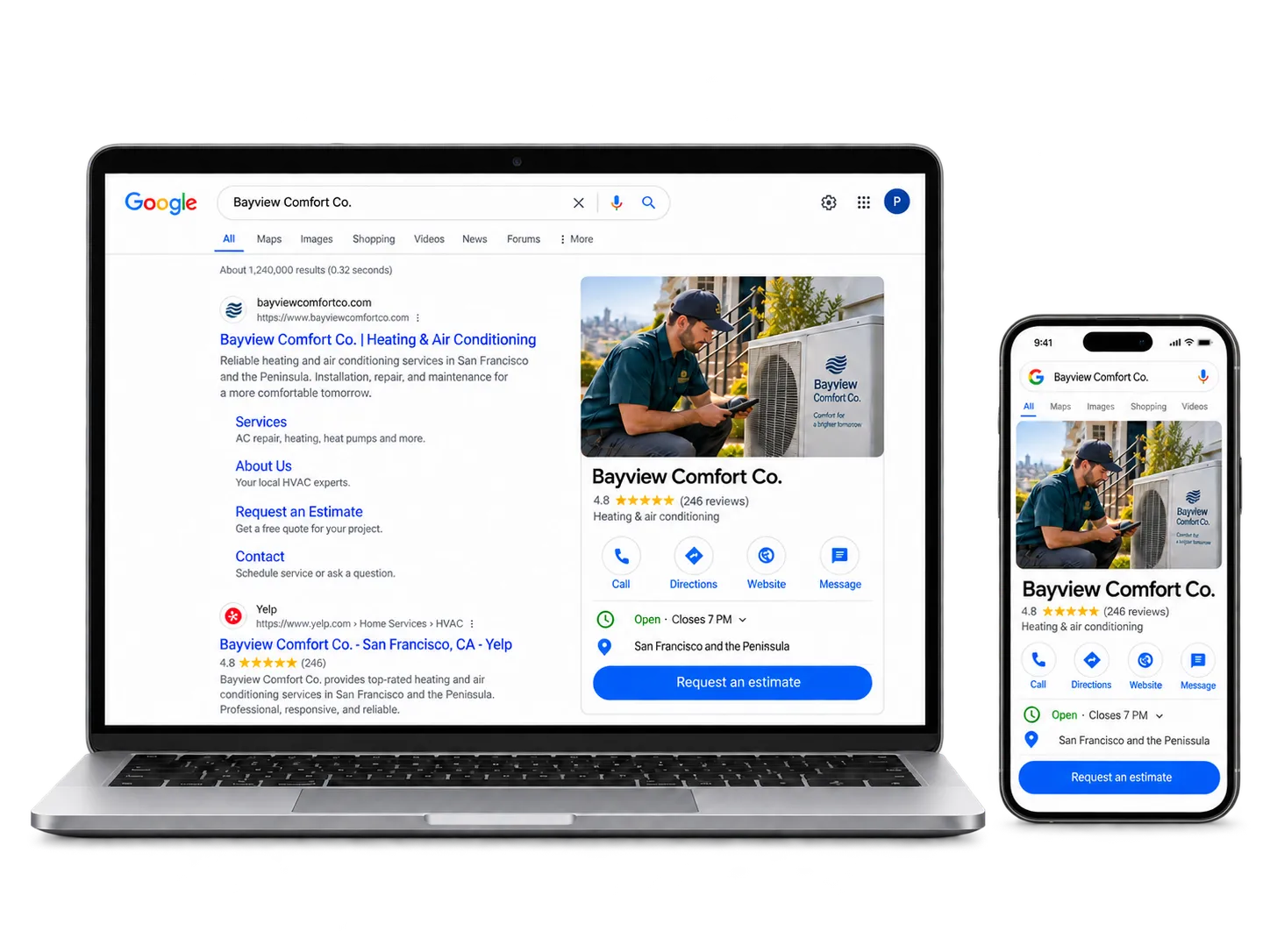
For many local searches, your Google Business Profile is the first thing a customer sees. Sometimes it's all they read. The next step should be obvious.
Who profile work is for
Local service businesses whose Maps listing is incomplete, unverified, or out of step with the business it describes.
You travel to customers and have no storefront to list, so the areas you cover are the part the profile has to get right.
People decide from the panel whether you are open, nearby and worth contacting, often before they open the website at all.
A profile set up years ago, or claimed by someone who has since left, and never checked against the work you take on now.
Where a neglected profile loses people
The profile keeps appearing. It just stops describing the business, and the customer reads it anyway — usually at the moment they had decided to get in touch.
The profile was never verified, or nobody has checked it since setup.
Categories and services don't reflect the work you actually take on.
Hours, links or service areas are wrong. Some calls never reach you.
There's no consistent way to ask for reviews or respond to them.
What the profile work involves
The state of the profile sets the scope. Work of this kind may include:
An audit of the current profile, or setup and verification support where no profile exists yet
Categories, services, service areas, hours and descriptions that reflect the work you take on
Website and booking links that point to the right page instead of the homepage
Photo recommendations that help the profile show the work as it actually is
A workable process for review requests and replies, with guidance on posts worth the effort
Measurement of what people do on the profile, where Google makes that data available
What an accurate profile changes
A local customer can read the profile, understand the work, and act on it without running into anything that contradicts your website.
| On your profile | On your website |
|---|---|
| The categories you picked | The services you have pages for |
| The service areas you set | Where the site says you work |
| The hours you published | When the site says you answer |
| The link on the profile button | The page that link lands on |
How the profile work starts
It starts with the free website review, which looks at the profile's visibility and the path a customer takes from search to contact.
Scope follows what we find. Updating a complete profile can be a short piece of work. Finishing an unverified profile or correcting the wrong category is a different job.
The profile always looks right to the person who set it up. The free review reads the profile and the website side by side and tells you which line is out of step.
Common questions
Usually. Categories can stop matching the work, and service areas can remain guesses made at setup. The main button may still send someone to the homepage instead of the page they need.
No. Neither a business nor anyone working for it controls that. We help with the part you can control: asking for reviews consistently and answering the ones you receive.
For service businesses, that's normal. Google lets a service-area business hide its address and list the areas it covers. Choosing the right areas is part of the work.
What the profile works alongside
Map results come from the listing. Everything else a customer reads comes from the website, and the two have to agree.
Send us your current website. We’ll review its messaging, mobile experience, speed, search foundation, Google Business Profile visibility, and path to contact. You get a short, practical summary of the clearest opportunities and recommended next steps.